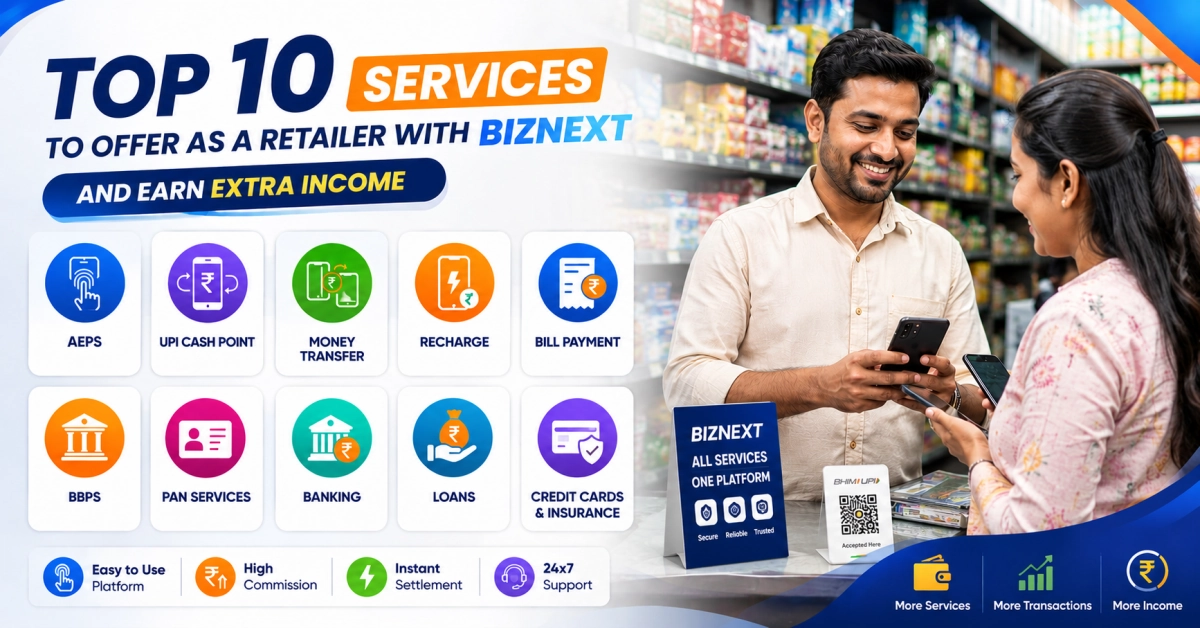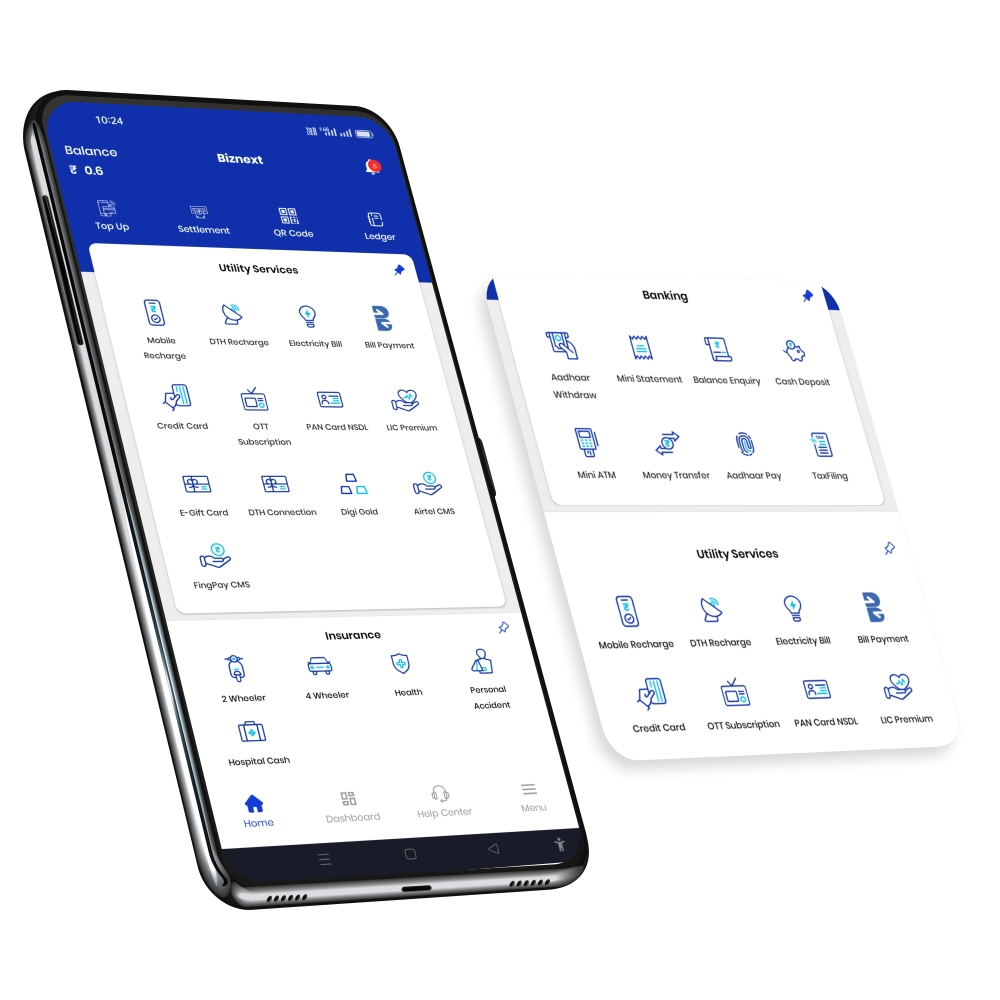

 AePS
AePS UPI Cash Withdrawal
 Micro ATM
 Money Transfer
 Banking Services
 Loan
Loan Credit Card Agent
 Payment Solutions
 Mobile Recharge
 Utility Bill Payment
 DTH Recharge
 Wi-Fi Service Partner
 Cash and EMI Collection
 IRCTC Booking
 Bus Ticket Agent
 Courier Service Point
 health insurance
 Hospicash Insurance
 Bike Insurance
 Car Insurance
 PAN Card Agent
 Digital Gold Seller
 Gift Card
 Solar Installation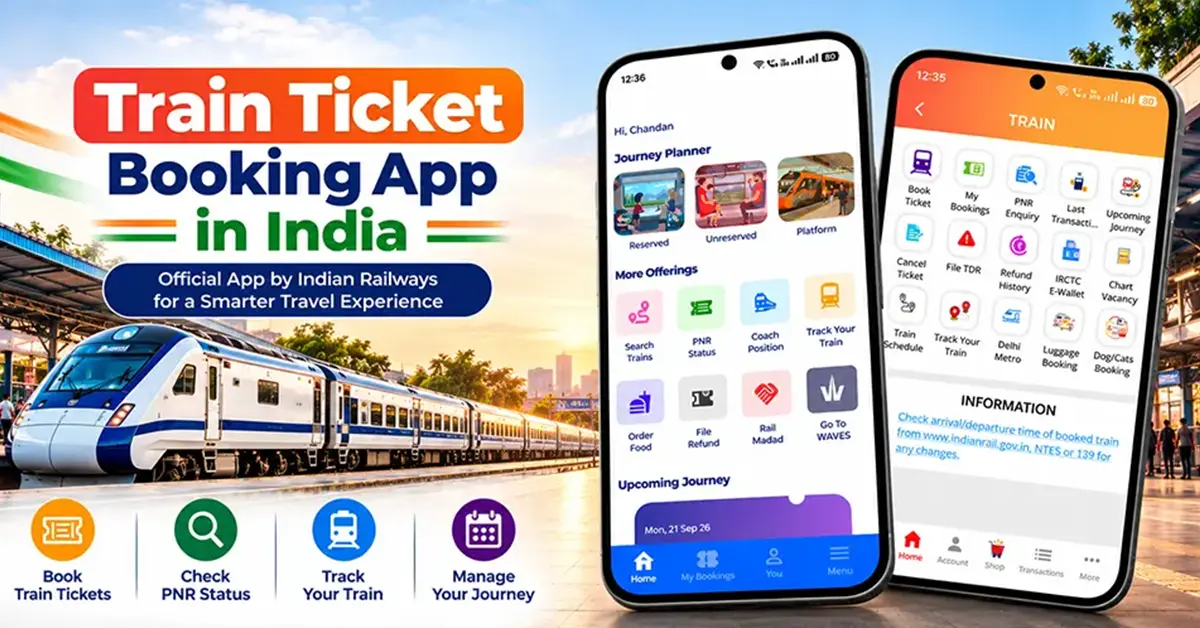
Choosing the right train ticket booking app can make travelling by Indian Railways easier. Whether you want to book a reserved seat for a long journey, purchase a general ticket for a short trip, check train seat availability or book a local train ticket, the right app can save time and help you manage your journey from your mobile phone.
In India, RailOne and IRCTC Rail Connect are two important official railway apps, but they serve different passenger needs. RailOne brings multiple railway services together, including reserved and unreserved ticketing, while IRCTC Rail Connect is widely used for reserved train ticket bookings.
In this guide, you will learn about the best train ticket booking apps in India, how to book train tickets online, how to check seat availability and PNR status, and which app to use for general and local train tickets.
What Is a Train Ticket Booking App?
A train ticket booking app is a mobile application that allows passengers to access railway services through their smartphones. Depending on the app, users can search for trains, check seat availability, book tickets, view PNR status and manage their travel details.
In India, these apps are useful for people travelling between cities as well as those who use local trains for daily commuting.
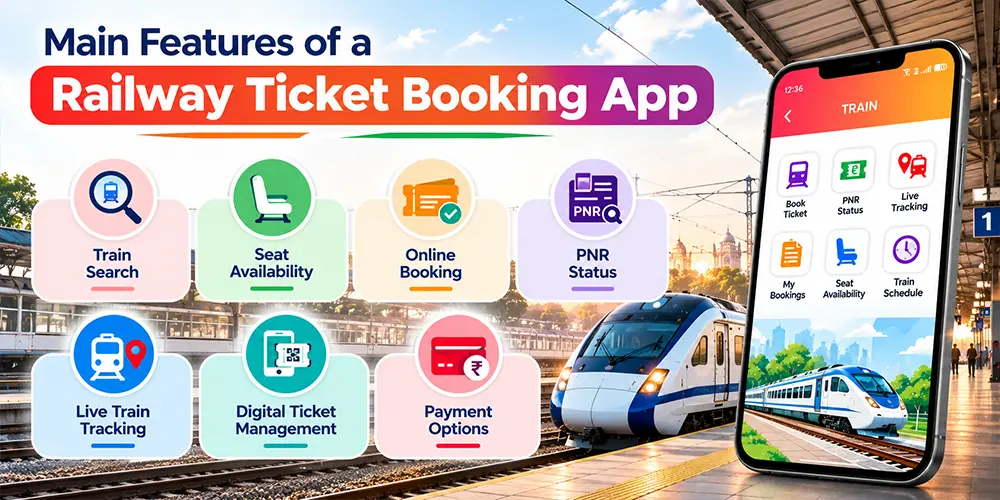
Main Features of a Railway Ticket Booking App
Most railway apps offer some or all of the following features:
- Train search: Find trains between two railway stations.
- Seat availability: Check available seats or berths for a particular date and class.
- Online booking: Book eligible tickets without visiting a railway reservation counter.
- PNR status: Check the current status of a reserved ticket.
- Live train tracking: Check train running information where the feature is available.
- Digital ticket management: View booking details and retain ticket information on your phone.
- Payment options: Use supported payment methods such as UPI, debit cards, credit cards or net banking.
The exact features depend on the app and ticket type. For example, a reserved ticket for an overnight journey follows a different booking process from an unreserved ticket for a short-distance trip.
Which Is the Best Train Ticket Booking App in India?
The best train ticket booking app depends on what you need. For an integrated railway experience, RailOne is a strong option. For reserved train tickets, IRCTC Rail Connect is another official choice.
1. RailOne App
Best for: Multiple railway services in one app
RailOne is an integrated passenger-services app developed by the Centre for Railway Information Systems (CRIS). It was launched by Indian Railways in July 2025.
The app brings reserved and unreserved ticket booking, platform ticketing, train enquiries, PNR enquiries and other passenger services together in one place.
Official download: RailOne for Android
Key features of RailOne:
- Supports reserved and unreserved train ticket booking.
- Offers platform ticketing and train enquiry services.
- Provides PNR enquiry and access to other railway services.
- Integrates several services under a single login.
- Offers access to additional passenger facilities, depending on availability.
RailOne can be a practical choice if you want to manage different railway requirements through one app instead of switching between multiple applications.
2. IRCTC Rail Connect
Best for: Reserved train ticket booking
IRCTC Rail Connect is the official mobile application of Indian Railway Catering and Tourism Corporation (IRCTC). It allows passengers to search for trains, check availability, book reserved tickets, and manage existing bookings.
The app also provides PNR enquiries, passenger management and supports online payment methods.
Official resources: IRCTC website · IRCTC Rail Connect for Android.
Key features of IRCTC Rail Connect:
- Search for trains and compare available classes.
- Check seat availability and fare information.
- Book eligible reserved and Tatkal tickets.
- Check the PNR status of booked tickets.
- View, cancel or manage eligible bookings.
- Make payments using supported payment options.
If your main requirement is to book a reserved seat or berth for a long-distance journey, IRCTC Rail Connect is a useful official option.
RailOne vs IRCTC Rail Connect: Which Should You Choose?
| Feature | RailOne | IRCTC Rail Connect |
|---|---|---|
| Reserved tickets | Yes | Yes |
| Unreserved tickets | Yes | Primarily focused on reserved booking |
| Platform tickets | Yes | Check current facilities |
| PNR enquiry | Yes | Yes |
| Integrated passenger services | Yes | Focused on IRCTC booking services |
| Best suited for | Multiple railway services | Reserved train bookings |
Quick recommendation: Choose RailOne if you want integrated railway services, including general ticket booking. Choose IRCTC Rail Connect if your main purpose is reserved train ticket booking. You can also use the official IRCTC website for online reservations.
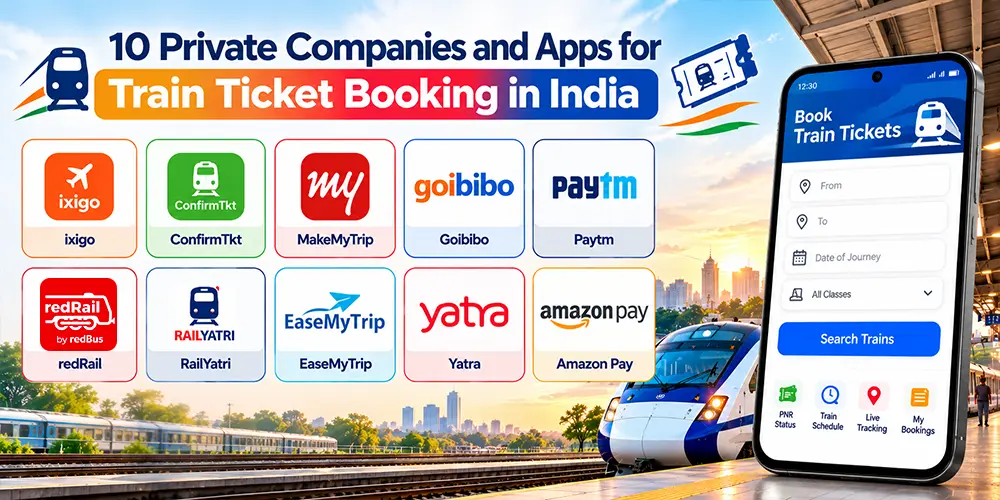
10 Private Companies and Apps for Train Ticket Booking in India
1. ixigo
Offers train ticket booking, PNR status, train running information and journey-planning features.
Website: ixigo.com
2. ConfirmTkt
Provides train booking, seat availability information, alternate train suggestions and PNR-related features.
Website: confirmtkt.com
3. MakeMyTrip
Allows users to book train tickets alongside flights, hotels and holiday packages.
Website: makemytrip.com
4. Goibibo
Offers travel booking services, including train reservations, along with hotels and other travel products.
Website: goibibo.com
5. Paytm
Provides train ticket booking, PNR enquiry, train availability information and digital payment options.
Website: paytm.com
6. redRail
A train booking service associated with redBus, useful for searching trains and booking eligible railway tickets.
Website: redbus.in
7. RailYatri
Offers train booking and railway travel information, including journey-related updates and train status features.
Website: railyatri.in
8. EaseMyTrip
Provides train ticket booking alongside flight, hotel and holiday booking services.
Website: easemytrip.com
9. Yatra
Offers travel booking services, including train reservations through its available booking channels.
Website: yatra.com
10. Amazon Pay
Has been listed among IRCTC’s authorised service providers for online train ticket booking. Check the current Amazon app or website to confirm the availability of train booking in your account and region.
Website: amazon.in
Which Private Train Booking App Should You Choose?
| Your requirement | Apps to consider |
|---|---|
| Train booking and travel information | ixigo, ConfirmTkt, RailYatri |
| Booking trains and hotels together | MakeMyTrip, Goibibo, EaseMyTrip |
| Booking through a payments app | Paytm, Amazon Pay (where available) |
| Comparing train and bus travel | redRail, MakeMyTrip |
Important: Private booking platforms act as intermediaries for railway reservations; they do not independently allocate railway seats. Booking availability, convenience fees, cancellation services and payment options can differ by platform. Check the final fare and current service availability before booking.
How to Start a Train Ticket Booking Business with Biznext and Earn Commission
Do you want to earn money by offering train ticket booking services to customers? You can turn your shop or an existing retail business into a railway ticket booking service point with Biznext.
Biznext provides digital services to retailers, distributors and entrepreneurs, helping them offer multiple services from one platform. Through its IRCTC service, eligible partners can explore the opportunity to provide train ticket booking assistance to customers and earn commission on eligible bookings.
What Is Biznext’s Train Ticket Booking Service?
Biznext offers an IRCTC-related service for partners interested in providing railway ticket booking facilities to customers. This can be a useful additional service for mobile shops, cyber cafes, Common Service Centres (CSCs), travel agents and other local retailers.
Instead of relying only on their existing products or services, retailers can expand their business by helping customers access train ticket booking services.
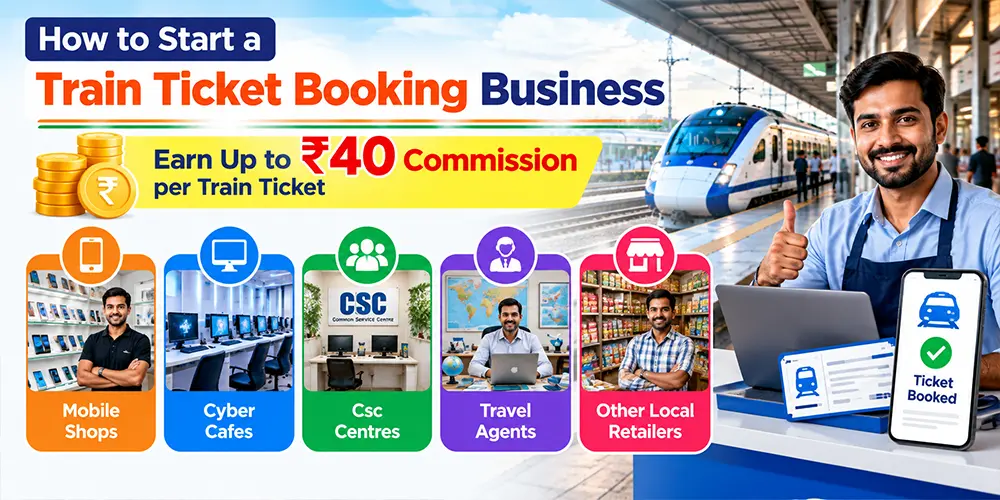
How Can You Earn Up to ₹40 Commission per Train Ticket?
With the Biznext IRCTC service, eligible partners can earn commission of up to ₹40 per ticket, as advertised for the service. Actual earnings depend on the applicable commission structure, booking type and current service terms.
For example, consider the following illustrative calculation:
| Successful eligible tickets | Commission per ticket | Potential commission |
|---|---|---|
| 5 tickets | ₹40 | ₹200 |
| 10 tickets | ₹40 | ₹400 |
| 20 tickets | ₹40 | ₹800 |
| 30 tickets | ₹40 | ₹1,200 |
These figures are illustrations based on the maximum advertised commission of ₹40 per eligible ticket, not guaranteed earnings. Actual commission may vary, and the applicable terms should be confirmed with Biznext.
Who Can Start a Train Ticket Booking Business?
This service may be suitable for:
- Retail shop owners: Add railway ticket booking to your existing customer services.
- Mobile shop owners: Offer another digital service alongside mobile recharge and bill payments.
- Cyber cafe operators: Help customers who need assistance with online bookings.
- Travel agents: Expand your range of travel-related services.
- Aspiring entrepreneurs: Explore a digital service business with an existing retail or customer network.
How to Join Biznext for Train Ticket Booking Services
- Visit the official Biznext IRCTC service page.
- Review the available service details and partner requirements.
- Contact Biznext or follow the registration instructions provided on the page.
- Complete the required registration and verification process.
- Confirm the applicable commission, booking rules and service conditions before starting.
- Begin offering the service once your account is approved and the required facilities are activated.
Get started here: Biznext IRCTC Train Ticket Booking Service
Why Add Train Ticket Booking to Your Business?
Offering train ticket booking can help local retailers attract more customers, provide a convenient service in their area and create an additional source of commission-based income. It can also complement other digital services offered through Biznext, depending on the facilities available to the partner.
If you already run a retail shop or want to expand your digital services, explore Biznext’s IRCTC service to understand the registration process and current earning opportunity.
Ready to explore the opportunity? Visit Biznext’s official IRCTC service page to learn more about offering train ticket booking services and the advertised commission of up to ₹40 per eligible ticket.
How to Book a Train Ticket Using a Train Ticket Booking App
If you are wondering train ka ticket kaise book karen, follow these steps for a typical reserved ticket booking through an official railway app.
Step 1: Download the Official App
Install RailOne or IRCTC Rail Connect from the Google Play Store or Apple App Store. Verify the developer’s name before downloading the application.
Step 2: Register or Log In
Open the app and complete registration or log in using your existing account, as required. Follow the current verification process and keep your login details secure.
Step 3: Enter Your Journey Details
Enter your departure station, destination station and journey date. Select the preferred travel class, such as Sleeper, AC 3 Tier or another available class.
Step 4: Search for Trains
Review the list of available trains. Compare departure times, arrival times, journey duration, travel class and fare.
Step 5: Check Seat Availability
Select your preferred train and check availability for the selected date and class. Availability can change quickly, especially on busy routes and during holidays.
Step 6: Enter Passenger Details
Provide the passenger information requested by the app. Review names, ages and other required details carefully before proceeding.
Step 7: Make the Payment
Choose an available payment method, such as UPI, a debit card, a credit card or net banking. Follow the app’s instructions to complete the transaction.
Step 8: Confirm Your Booking
After payment, check your booking history and ticket status. Save your ticket details and PNR number, if issued.
Important: A successful payment notification does not always mean a ticket has been issued. If the payment is deducted but the booking status is unclear, check your booking history and transaction status before trying again.
Best App for General Train Ticket Booking
A general train ticket, commonly called an unreserved ticket, is generally used for eligible journeys where a specific reserved seat or berth is not assigned. For passengers looking for a railway general ticket booking app, RailOne is an official option that supports unreserved ticket booking.
How to Book a General Ticket Online
- Open RailOne and sign in as required.
- Select the unreserved ticket booking facility.
- Enter the journey details and choose the appropriate ticket option.
- Check the route and applicable booking conditions.
- Complete the payment using a supported method.
- Confirm that the ticket has been issued and retain it for the journey.
The exact steps may vary according to the app version and ticket category.
Important Things to Know About General Tickets
- A general ticket does not normally provide a reserved seat or berth.
- Check whether the ticket is valid for your intended route and train.
- Follow the applicable rules for ticket validity and travel.
- Do not assume that every train or route permits the same type of unreserved ticket.
- Use the designated booking facility and comply with any location or booking restrictions shown in the app.
If you regularly travel short distances, an official unreserved ticket booking facility can help reduce the need to visit a ticket counter.
Best Online Local Train Ticket Booking App
Local trains are widely used by commuters in suburban railway networks, particularly in cities such as Mumbai, Chennai and Kolkata.
An online local railway ticket booking app can help passengers obtain eligible journey tickets without standing in a queue. RailOne provides integrated railway services, including unreserved ticketing and platform ticketing. However, the facilities available for a particular local route should always be checked in the app.
How to Book an Online Local Train Ticket
- Open the official railway app that supports your ticket type.
- Select the local or unreserved ticket booking option, where available.
- Enter the origin and destination stations.
- Select the appropriate journey or ticket category.
- Check the fare and any applicable booking restrictions.
- Complete payment and confirm ticket issuance.
- Keep the valid digital ticket accessible during your journey.
Can You Book a Local Train Season Ticket Online?
Some railway services provide facilities for eligible season tickets or passes. Availability depends on the app, route, passenger category and current railway rules. Before purchasing a pass, check its validity period, route coverage and renewal conditions.
Local Train Ticket Booking Tips
- Confirm the correct station names before paying.
- Check whether the selected ticket covers your intended journey.
- Follow the rules for carrying and displaying a digital ticket.
- Do not begin your journey on the assumption that a payment alone is proof of a valid ticket.
Best Train Seat Availability App
A train seat availability app helps passengers check whether seats or berths are available before booking.
Both RailOne and IRCTC Rail Connect provide relevant train enquiry or availability facilities. The information shown depends on the train, class, journey date and current reservation status.
How to Check Train Seat Availability
- Open the railway app.
- Enter your departure and destination stations.
- Select your journey date.
- Search for available trains.
- Choose a train and travel class.
- Review the availability status before booking.
If your preferred train has limited availability, compare other trains, dates or classes that suit your journey.
What Do CNF, RAC and WL Mean?
| Status | Meaning |
|---|---|
| CNF | Confirmed reservation |
| RAC | Reservation Against Cancellation; accommodation is subject to applicable rules |
| WL | Waitlisted ticket that has not yet received a confirmed reservation |
A confirmed reservation generally provides the allotted accommodation shown on the ticket. RAC passengers have travel and accommodation rights under the applicable rules, while waitlisted tickets require closer attention to ticket type and current status.
Can an App Guarantee a Confirmed Train Ticket?
No app can guarantee that a waitlisted ticket will become confirmed. Confirmation depends on availability, cancellations, reservation rules and other railway factors.
Always check the latest status rather than relying only on the status displayed when you first booked the ticket.
How to Check Train Ticket Confirmation and PNR Status
PNR stands for Passenger Name Record. It is a unique reference number associated with a railway reservation and is used to check booking details and reservation status.
A train ticket confirmation app or railway enquiry feature can help you find out whether your reservation is confirmed, waitlisted or under RAC status.
Steps to Check PNR Status
- Open RailOne, IRCTC Rail Connect or another authorised railway enquiry service.
- Select the PNR enquiry option.
- Enter your PNR number.
- Submit the details and review the latest status.
- Check the final reservation details before travelling.
Your reservation status may change between booking and departure. Keep your PNR number available so you can check it when needed.
Remember: PNR enquiry and ticket booking are different services. Checking your PNR does not change your reservation or guarantee confirmation.
Where to Book Train Tickets Online in India
If you are searching for where to book train tickets, you have several options depending on the journey and ticket type.
1. Official Railway Apps
RailOne is useful for integrated railway services, including reserved and unreserved ticketing. IRCTC Rail Connect is an official option for reserved train tickets.
For iPhone users, search for the official app in the Apple App Store and verify the developer before installing it.
2. Official IRCTC Website
Passengers can book eligible reserved train tickets through the official IRCTC website.
Visit the IRCTC official online ticket booking website.
The website is a useful alternative if you prefer booking through a computer rather than a mobile application.
3. Railway Reservation Counters
Passengers can also visit railway reservation counters for assistance with ticket booking. Unreserved tickets may be available through designated counters or other authorised railway facilities. Choose the method that supports your ticket type and journey requirements.
Also Read: how to become an IRCTC agent
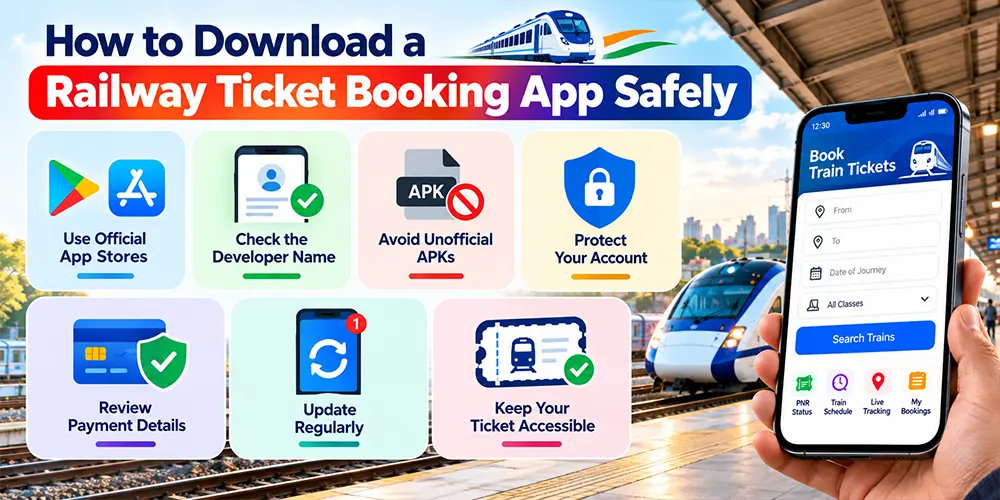
How to Download a Railway Ticket Booking App Safely
Downloading a railway ticket booking app from a trusted source is important because the app may handle personal details, booking information and payments.
Follow these safety tips:
- Use official app stores: Download from Google Play or the Apple App Store.
- Check the developer: Verify that the app is published by the appropriate railway organisation.
- Avoid unofficial APKs: Do not install files from unknown websites or links sent by strangers.
- Protect your account: Never share your password, OTP or UPI PIN with another person.
- Review payment details: Confirm the amount and transaction information before authorising payment.
- Update regularly: Install legitimate app updates to receive improvements and security fixes.
- Keep your ticket accessible: Save your booking details and know how to retrieve your ticket from the official app.
For official app information, use the IRCTC website or the railway app listings linked above.
Common Problems When Booking Train Tickets Online
Even with a reliable train ticket booking app, users may sometimes experience booking or payment problems. Knowing what to do can help avoid duplicate payments and confusion.
1. Payment Deducted but Ticket Not Issued
Check the booking history and transaction status first. A payment deduction alone does not prove that a ticket was successfully issued.
If the booking remains unsuccessful, follow the app’s official instructions for payment reconciliation or refunds. Avoid immediately making another payment without checking the first transaction.
2. No Seats Available
If your preferred train is full, check other trains, travel dates or classes. You may also review applicable booking options, but eligibility and availability are subject to railway rules. Do not assume that a waitlisted ticket will become confirmed.
3. App Not Working
Check your internet connection, update the application and try again after a short interval if the service is temporarily unavailable. If the issue continues, use the official website or contact the relevant railway support service.
4. Ticket Cancellation and Refund Delays
Cancellation and refund rules depend on the ticket type, reservation status, cancellation time and applicable railway policies. Payment providers may also require processing time.
Check the cancellation terms before confirming a booking, and retain your transaction reference until the matter is resolved.
Frequently Asked Questions About Train Ticket Booking Apps
1. Which is the best train ticket booking app in India?
RailOne is a useful choice for passengers who want multiple railway services, including reserved and unreserved ticketing. IRCTC Rail Connect is an official option for reserved train tickets. The best app depends on your journey and the ticket you need.
2. Which is the official Indian Railway ticket booking app?
RailOne is an integrated Indian Railways passenger-services app, while IRCTC Rail Connect is the official mobile app of IRCTC for reserved-ticket booking. Passengers should download the correct app from an official app store listing.
3. Is RailOne better than IRCTC Rail Connect?
RailOne is suitable for users who want integrated railway services, including unreserved tickets and other passenger facilities. IRCTC Rail Connect is useful for reserved train bookings and related services. Neither is automatically better for every passenger; choose based on your needs.
4. How can I book a train ticket using my mobile phone?
Download an official railway app, log in or register, enter your journey details, select a suitable train, check availability, enter passenger information and complete payment. Finally, check your booking history and confirm that the ticket has been issued.
5. Which app is used for general train ticket booking?
RailOne supports unreserved ticket booking and is an official option for general tickets. Check the route, ticket category and applicable booking conditions before purchasing the ticket.
6. Which app can I use to book local train tickets online?
RailOne provides unreserved ticketing facilities, which can be relevant for eligible local train journeys. Check the app for the specific route and ticket category because booking facilities and restrictions can vary.
7. Which app is best for checking train seat availability?
RailOne and IRCTC Rail Connect offer train enquiry or seat availability facilities. Enter the route, journey date and class to check the current availability before booking.
8. How do I check whether my train ticket is confirmed?
Use the PNR enquiry feature in an official railway app or website. Enter your PNR number and review the latest reservation status. Check again before departure if your ticket was previously waitlisted or under RAC status.
9. Can I book a railway ticket without visiting the railway station?
Yes. You can book eligible reserved tickets online through IRCTC and official railway apps. RailOne also supports unreserved ticket booking. Some ticket types and routes may have specific eligibility or booking requirements.
10. How can I download an official railway ticket booking app?
Open Google Play or the Apple App Store, search for RailOne or IRCTC Rail Connect, verify the publisher and install the official listing. Avoid unknown download websites and unofficial APK files.
11. Can I cancel a train ticket booked through a mobile app?
Eligible tickets can generally be cancelled through the relevant official booking channel, subject to ticket type and railway rules. Check the cancellation deadline, applicable deductions and refund conditions before proceeding.
12. Can a train booking app guarantee a confirmed ticket?
No. An app can display availability and booking status, but it cannot guarantee that a waitlisted ticket will become confirmed. Confirmation depends on reservation availability and the applicable railway rules.
Conclusion: Choose the Right Train Ticket Booking App for Your Journey
A good train ticket booking app makes it easier to plan journeys, check seat availability and manage railway bookings from your mobile phone. However, the right choice depends on whether you need a reserved ticket, a general ticket or a local train ticket.
RailOne is a practical option for passengers who want multiple Indian Railways services in one app, including reserved and unreserved ticket booking. IRCTC Rail Connect is another official option, particularly for reserved train tickets. You can also use the official IRCTC website to book eligible reservations online.
Before booking, check the train details, fare, seat availability and applicable ticket rules. Always confirm that your ticket has been issued successfully, keep your PNR details accessible and download apps only from trusted sources.
With the right app and a few simple precautions, booking railway tickets online can become a more convenient part of your travel planning.
Official references
For accurate, up-to-date information, refer to these official sources when reviewing or updating this blog.
- IRCTC official ticket booking website
- RailOne official Android app listing
- IRCTC Rail Connect official Android app listing